What Is a Meta Tag and How to Use It for SEO? (2026 Guide)
What is a meta tag and does it really affect your Google rankings? Find out which tags matter, which are dead, and how to write them correctly.
Every time Google shows your page in search results, it decides what to display based on a handful of HTML snippets hidden in your page code — snippets that most website owners never look at. These are called meta tags, and if you're not optimizing them, you're essentially handing over control of your search appearance to an algorithm.
In this guide, you'll learn exactly what meta tags are, which ones matter for SEO in 2026 (and which are completely obsolete), and how to write them so your pages rank better and get more clicks.
What Is a Meta Tag?
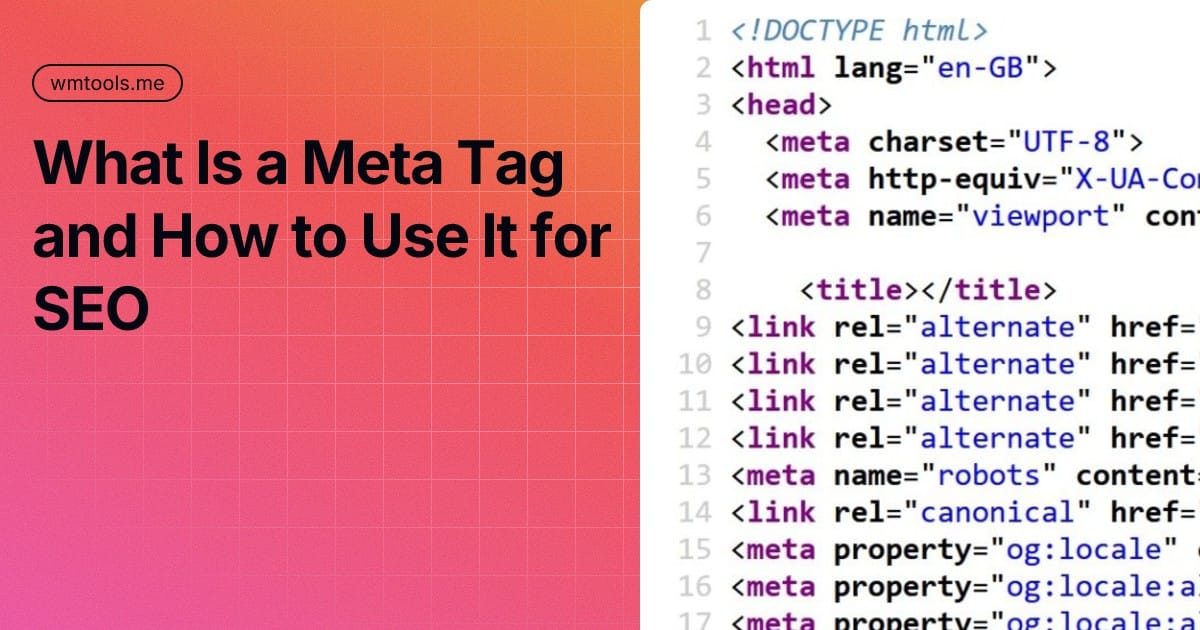
A meta tag is an HTML element placed inside the <head> section of a webpage. It provides metadata — information about the page — to browsers, search engine crawlers, and social media platforms. Users never see meta tags on the actual page, but they appear in search results, browser tabs, and social media link previews.
Here is what a typical set of meta tags looks like in HTML:
<head>
  <meta charset="UTF-8">
  <meta name="viewport" content="width=device-width, initial-scale=1.0">
  <title>Your Page Title Here</title>
  <meta name="description" content="A clear summary of what this page is about, under 160 characters.">
  <meta name="robots" content="index, follow">
</head>
None of that renders visually on your page — but it shapes everything from your Google ranking to how your link looks when someone shares it on LinkedIn.
Meta tags serve two broad purposes: they help search engines understand and index your content correctly, and they influence how users perceive your page in search results. The better your meta tags, the more control you have over both.
The 7 Most Important Meta Tags for SEO
Not all meta tags carry equal weight. Some directly influence rankings. Others affect click-through rates. Some are invisible to users but critical for crawlers. Here is a breakdown of the ones that genuinely matter in 2026.
1. Title Tag (Meta Title)
The title tag is the single most important piece of SEO metadata on any page. It appears as the clickable blue headline in Google search results, in browser tabs, and in most social media link previews.
<title>What Is a Meta Tag and How to Use It for SEO? (2026 Guide)</title>Google treats the title tag as a confirmed ranking signal. A well-written title tells the crawler exactly what your page is about, and it tells the user why they should click. Research from Backlinko analyzing 4 million search results found that title tags between 40 and 60 characters achieve an 8.9% higher CTR than those outside that range.
Best practices for title tags
- Keep it between 50–60 characters. Google measures display width in pixels (up to ~600px), so titles in this range display in full without truncation.
- Place your primary keyword near the beginning. Front-loading keywords strengthens the relevance signal and is the first thing both users and crawlers see.
- Write for humans first. Titles that naturally communicate value outperform keyword-stuffed ones in click-through rate.
- Make every title unique. Duplicate titles across multiple pages confuse search engines and dilute your ranking signal.
- Optionally add your brand name at the end, separated by a pipe or dash:
How to Do X | WmTools.
Example of a weak vs. strong title tag:
- ❌ Meta Tags — too vague, no keyword intent, no click incentive
- ✅ What Is a Meta Tag? Complete SEO Guide for 2026 — clear topic, keyword included, year signals freshness
One important caveat: Google rewrites title tags more than 60–70% of the time when it believes a different title better matches the user's query. Even so, your original title influences how the page is indexed and what Google generates as its rewrite, so getting it right still matters.
2. Meta Description
The meta description is the short summary that appears below your title in search results. It does not directly affect rankings — Google's John Mueller has confirmed this multiple times. But it has a significant indirect effect: a compelling description drives clicks, and clicks signal to Google that your result is satisfying user intent.
<meta name="description" content="Learn what meta tags are, which ones impact SEO in 2026, and how to write title tags and descriptions that get more clicks.">According to research cited by SalesHive drawing on SEMrush data, well-optimized meta descriptions can increase CTR by around 5.8%. Descriptions with a clear call to action can lift clicks by up to 20% compared to generic alternatives. With roughly 58–60% of Google searches now resulting in zero clicks due to AI Overviews and featured snippets, winning the click when it is available has become more competitive than ever.
Best practices for meta descriptions
- Stay within 150–160 characters. Anything longer gets cut off in search results, often at an awkward point.
- Include your primary keyword naturally. Google bolds keywords in descriptions that match the user's query, making your result stand out visually.
- Be specific about what the reader will find. Vague descriptions like "Learn more about our services" perform poorly. Specific ones like "Get a 10-step checklist you can apply before publishing any page" outperform them.
- Write a unique description for every page. Using duplicate descriptions across your site is one of the most common SEO mistakes. It confuses search engines and weakens each page's individual signal.
- End with implicit action. Phrases like "See full guide," "Check step-by-step," or "Find out now" nudge users toward clicking.
Example:
- ❌ Meta tags are important for SEO. Learn about them here.
- ✅ Meta tags tell Google how to index your page and what to show in search results. This guide covers all 7 types with real HTML examples.
3. Meta Robots Tag
The robots meta tag is an instruction to search engine crawlers. It tells them whether to index a page and whether to follow its links. If this tag is missing, crawlers default to index, follow — meaning they will index the page and follow all links on it.
<meta name="robots" content="index, follow">
<meta name="robots" content="noindex, nofollow">
<meta name="robots" content="noindex, follow">
Common directives and when to use them:
- index, follow — Default behavior. No need to add this explicitly unless you want to be clear.
- noindex — Excludes the page from search results. Useful for thank-you pages, duplicate content, admin areas, and staging environments.
- nofollow — Tells crawlers not to follow the links on this page. Less commonly used at page level.
- noindex, follow — Hides the page from results but still allows the crawler to follow and index links on it.
Using noindex strategically helps protect your crawl budget and prevents duplicate content pages from diluting your site's authority. It does not hurt pages you want indexed — only use it intentionally on pages you genuinely want excluded.
4. Viewport Meta Tag
The viewport tag tells browsers how to scale and display your page on different screen sizes. It is foundational for mobile SEO because Google uses mobile-first indexing — meaning it primarily evaluates the mobile version of your site when determining rankings.
<meta name="viewport" content="width=device-width, initial-scale=1.0">Without this tag, your page renders at desktop width on mobile devices, forcing users to pinch and zoom to read content. This harms user experience metrics — time on page, bounce rate, engagement — all of which Google uses as indirect ranking signals. Every modern website should include this tag on every page.
5. Charset Meta Tag
The charset tag defines the character encoding for your page. UTF-8 is the universal standard and supports virtually every language, symbol, and emoji.
<meta charset="UTF-8">Without the correct charset declaration, browsers may misinterpret your text encoding, resulting in garbled characters (particularly in languages with non-Latin alphabets) or broken special characters. While this tag does not directly influence rankings, incorrect encoding can prevent search engines from reading your content properly. Include it as the very first element inside your <head> tag on every page.
6. Open Graph Tags
Open Graph (OG) tags were introduced by Facebook in 2010 and are now used by LinkedIn, Pinterest, WhatsApp, Slack, and most other platforms that generate link previews. When someone shares a link to your page, these tags determine what title, description, and image appear in the preview card.
<meta property="og:title" content="What Is a Meta Tag? Complete SEO Guide for 2026">
<meta property="og:description" content="Learn which meta tags matter for SEO in 2026 and how to optimize them for better rankings and click-through rates.">
<meta property="og:image" content="https://yourdomain.com/images/meta-tag-guide.jpg">
<meta property="og:url" content="https://yourdomain.com/what-is-meta-tag-seo/">
<meta property="og:type" content="article">
Without Open Graph tags, social platforms generate their own previews using whatever text and images they can find on the page — often resulting in poor or missing visuals that discourage clicks. Adding these tags takes a few minutes and dramatically improves how your content appears when shared.
Key Open Graph properties to include on every page:
- og:title — The title for the social preview (can differ from your SEO title).
- og:description — A summary for the social preview card. Facebook shows around 300 characters.
- og:image — The image displayed in the preview. Recommended size: 1200×630px for most platforms.
- og:url — The canonical URL of the page being shared.
- og:type — Content type:
website,article,product, etc.
7. Twitter / X Card Tags
Twitter (now X) uses its own card protocol, separate from Open Graph. If Twitter Card tags are missing, X falls back to Open Graph tags, which works in most cases. But for more control over how your content appears on X, include dedicated Twitter card tags.
<meta name="twitter:card" content="summary_large_image">
<meta name="twitter:title" content="What Is a Meta Tag? SEO Guide for 2026">
<meta name="twitter:description" content="Meta tags shape how Google indexes your page and how users see it in search results. Here's what you need to know.">
<meta name="twitter:image" content="https://yourdomain.com/images/meta-tag-guide.jpg">
The summary_large_image card type displays a large image above the title and description — this format typically generates higher engagement than a plain text link. Use it for blog posts and guides where you have a strong featured image.
Meta Tags That No Longer Work
Just as important as knowing which meta tags to use is knowing which ones to ignore. Two tags are completely obsolete for SEO purposes in 2026:
- Meta Keywords — Google stopped using this tag in 2009, Bing in 2014. Adding it provides zero SEO benefit and wastes time. Skip it entirely.
- Meta Refresh Redirect — This tag was an old method for redirecting users from one page to another. Google does not recommend it and suggests using a proper 301 server redirect instead.
Including meta keywords is not harmful in itself, but it signals outdated SEO practice and provides no value. Focus that effort on the tags that actually move the needle.
Common Meta Tag Mistakes to Avoid
Even experienced webmasters make predictable errors with meta tags. Here are the most common ones worth checking on your site:
- Duplicate title tags and meta descriptions. Research shows approximately 50% of websites use duplicate meta descriptions across multiple pages. Each page needs its own unique title and description.
- Missing meta descriptions. Around 25% of high-ranking pages have no meta description at all, leaving Google to pull whatever snippet it prefers. Writing your own gives you more control.
- Title tags that are too long or too short. Anything over 60 characters risks truncation. Anything under 20 characters wastes valuable keyword real estate.
- Keyword stuffing in titles or descriptions. Filling tags with repeated keywords makes your result look spammy in search results and performs poorly with users and algorithms alike.
- No viewport tag on mobile pages. Missing viewport tags break the mobile experience and can hurt mobile-first indexing scores.
- Accidentally leaving noindex on production pages. It is surprisingly common to forget to remove
noindextags added during development, which keeps entire sections of your site out of Google's index. - Not testing social media previews. You cannot see how your OG tags render just by looking at the page. Use Facebook's Sharing Debugger or LinkedIn's Post Inspector to verify your previews look correct.
How to Generate Meta Tags Quickly
Writing meta tags from scratch for every page is straightforward once you understand the structure, but a generator can speed up the process significantly — especially when setting up a new site or auditing existing pages.
WmTools offers a free Meta Tag Generator that lets you fill in your page details and instantly get the complete HTML code ready to paste into your site's <head> section. It covers all essential tags — title, description, viewport, charset, robots, and Open Graph — so you can go from zero to optimized in under two minutes.
For existing pages, the Meta Tag Extractor lets you pull and review the current meta tags of any URL — useful for competitor research or auditing your own site's metadata at a glance.